

Note: I picked these products from their official spec sheets, not from my own use. This guide has no paid links right now. If I add affiliate links later, I will say so here.
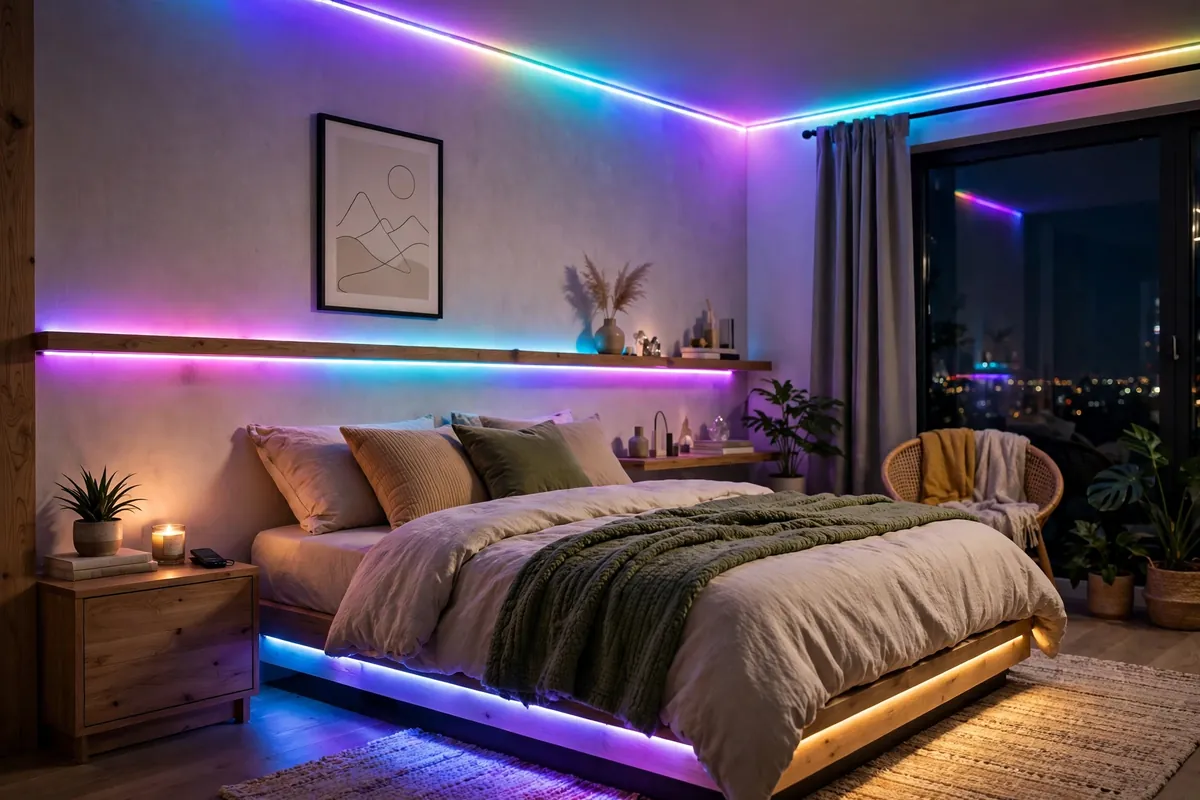
LED strips are one of the cheapest ways to change how a room feels. A soft warm light behind a TV or under a bed can make a plain room look calm and finished. But strips differ a lot in brightness, colour, app and power. A cheap strip that falls off the wall after a month is not a bargain.
In this guide I explain what to check before you buy, and I compare a few real strips using their spec sheets. I have not installed these strips myself, so everything below is from the brands’ pages, not my own testing.
RGB, RGBIC or White: Which Type Do You Need?
- RGB: the whole strip shows one colour at a time. Simple and usually cheaper.
- RGBIC: different parts of the strip can show different colours at the same time, so you get flowing rainbow effects. Good for gaming desks.
- White (warm to cool): some strips also have proper white light, from warm yellow (around 2700K) to cool daylight (around 6500K). Warm white is what makes a bedroom feel cosy.
TP-Link’s Tapo FAQ explains the difference well: its L900 is RGB (one colour at a time), the L920 is RGBIC, and the L930 adds white LEDs.
How Many Metres Do You Need?
Measure before you buy. Use a tape measure along the exact path the strip will take, like the back of your TV, the edge of your bed, or the top of a wall. Add a little extra for corners.
- Behind a TV or a desk: often 2 metres is enough.
- Around a bed frame or a full wall edge: often 5 metres.
- Around a whole room ceiling: measure each wall and add them up.
Most strips can be cut at marked points. But Tapo notes that once you cut its strip, the cut-off part cannot be used again. So cut carefully and only once.
Brightness: Lumens and Watts
For mood lighting, you do not need a very bright strip. For lighting you will actually work or read by, you do. Look at the lumens (lm). A higher number means brighter. Watts tell you how much power it uses, which matters on a UPS during load-shedding.
4 Real LED Strips, Compared on Paper
| Strip | Type | Length | Power (brand claim) | Control |
|---|---|---|---|---|
| Tapo L900-5 | RGB | 5 m | 13.5 W | Wi-Fi (2.4 GHz), app, voice |
| Tapo L920-5 | RGBIC | 5 m | 20.5 W | Wi-Fi (2.4 GHz), app, voice |
| Govee RGBIC LED Strip (H619A) | RGBIC | 5 m | 24 W | Wi-Fi + Bluetooth, control box, app |
| Xiaomi Smart Lightstrip | Full colour | 2 m (extendable to 10 m) | 5.1 W (2 m) | Wi-Fi + Bluetooth, app |
Tapo L900-5
A simple RGB strip for one colour at a time. TP-Link lists 5 metres, 13.5 W power use, 2.4 GHz Wi-Fi, and control from the Tapo app or Alexa and Google Assistant. Its FAQ gives about 400 lumens as a reference value and 30 LEDs per metre. A good starting strip if you just want one soft colour.
Tapo L920-5
The RGBIC version. TP-Link lists 50 separate colour zones on the 5-metre strip, 20.5 W, a PU coating on the surface, and music sync. Its FAQ gives about 500 lumens as a reference. Important: Tapo says all its light strips are for indoor use only, even the coated ones. So this is not a balcony light.
Govee RGBIC LED Strip Lights With Protective Coating (H619A)
Govee lists this 5-metre RGBIC strip at 130 lumens per metre, 24 V and 24 W, with a protective coating. You can control it with the Govee Home app over Wi-Fi or Bluetooth, with the control box on the cable, or by voice. Having Bluetooth and a physical button is useful when the Wi-Fi router is off during a power cut.
Xiaomi Smart Lightstrip
A low-power option. Xiaomi lists 5.1 W for the 2-metre strip and 21 W when extended to the full 10 metres with extension packs (sold separately). It connects over Wi-Fi and Bluetooth, and works with the Xiaomi Home app, Apple HomeKit, Alexa and Google Assistant. Good if you want to start small and add more later.
If you want bright white light: Philips Hue Lightstrip Plus
If you want a strip that can actually light a room, Philips Hue lists up to 1700 lumens for its 2-metre Lightstrip Plus, white light from 2000K to 6500K, and extension up to 10 metres. It costs much more than the others, so only pick it if brightness and good white light matter to you.
LED Strips and Load-Shedding
LED strips run on low-voltage power through an adapter, and they use little power compared with a ceiling light. A 5 W to 20 W strip is easy for most home UPS systems to run. Two things to know:
- Wi-Fi-only strips need the router. If your router goes off in a power cut, the app may not reach the strip. A strip with a button or Bluetooth is easier then.
- Schedules may reset. After a power cut, check that your timer or schedule still works.
How to Install So It Stays Up
- Clean the surface with rubbing alcohol and let it dry. Dust and oil are the main reason strips fall.
- Do a dry run first. Hold the strip in place and plan where the adapter and plug will go.
- Do not fold the strip sharply at corners. Use corner clips or connectors if they are included.
- On rough or painted walls, adhesive can fail, and it can pull paint off later. Use clips or a thin aluminium channel instead.
- Keep the adapter away from water and heat.
What to Check Before You Buy (Checklist)
- Do I want RGB, RGBIC or proper white light?
- Have I measured the exact length I need?
- How bright is it (lumens)? How many watts does it use?
- Is it indoor only? (Many are.)
- Can I control it without Wi-Fi (button, remote or Bluetooth)?
- Does the plug and adapter work with Pakistani sockets and 220-240 V?
- Is there a warranty, and is the seller trusted?
FAQ
Do LED strips use a lot of electricity?
No. The strips in this post list between about 5 W and 24 W. That is low, but leave them off when you leave the room.
Can I use an indoor LED strip on my balcony?
Not if the brand says indoor only. Tapo, for example, says all its strips are indoor only. Buy a strip made for outdoor use instead.
Will the strip damage my wall?
Strong adhesive can pull off paint when you remove it. If you rent, use clips or an aluminium channel.
Can I join two strips together?
Only if the brand says so. Some, like the Xiaomi and Hue strips, sell extensions. Others can only be cut, not joined.
Planning a setup for your room? Send me your room size and what you want the light for, and I will tell you which type to look at.